



Q1 Magic Power Cycle: Restarting Your device
Restarting your Device
Step 1. After playing the introduction video, use a graphic creation application, like Google Drawings (flowchart example template), or Canva, to create a graphic organizer and flowchart of the steps you would take to do a regular restart of the device you most often use. An example of a graphic organizer is shown on this page on the right side.
Include important steps on your graphic organizer to ensure that you don’t lose any of your work.
Step 2. Share your troubleshooting graphic organizer with a classmate. Are your steps the same or different, and why?
Step 3. Talk with your classmate to decide how you would explain the following:
- Why is restarting a device considered an effective troubleshooting step?
- The importance of power cycling to someone who doesn’t know about it, in a way that’s easy to understand.
- What is the first step when their computer doesn't turn on?
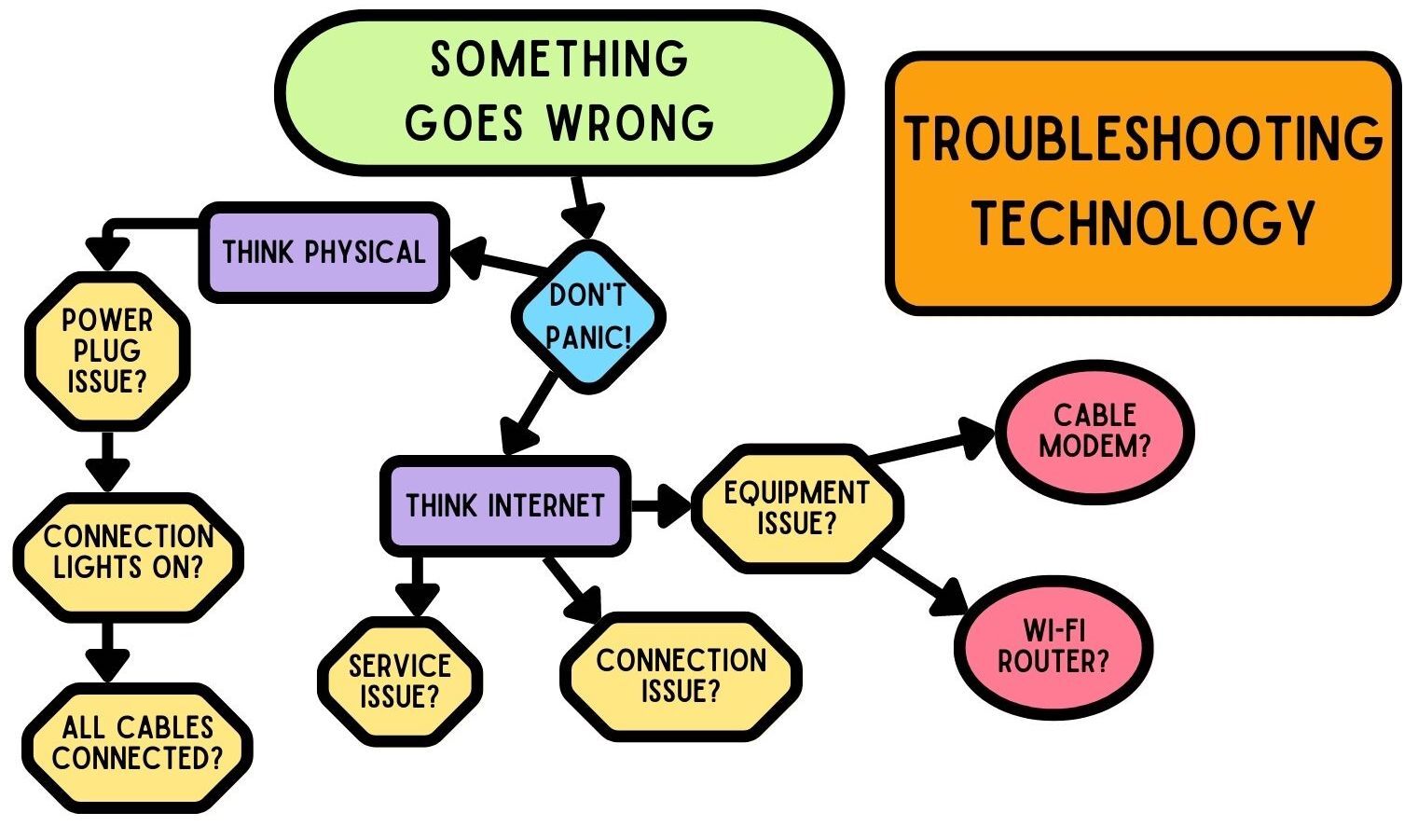
Note: Your teacher may also choose to have you use Google Docs or Word for your brainstorming.


Competencies & Standards
MITECS Michigan Integrated Technology Competencies for Students, and
1. Empowered Learner
a. Students connect their learning needs, strengths and interests to their goals and use technology to help achieve them and reflect on their progress.
c. Students use technology to seek feedback that informs and improves their practice and to demonstrate their learning in a variety of ways.
d. Students understand fundamental concepts of how technology works, demonstrate the ability to choose and use current technologies effectively, and are adept at thoughtfully exploring emerging technologies.
5. Computational Thinker
c. Students break problems into component parts, extract key information and develop descriptive models to understand complex systems or facilitate problem-solving.
6. Creative Communicator
a. Students choose the appropriate platforms and digital tools for meeting the desired objectives of their creation or communication.
c. Students use digital tools to visually communicate complex ideas to others.