



Q4 Citing Your Source: Tools
In this Quest, you are going to learn how to create citations easily for resources that you use in your classwork. There are online tools where you just add all the information from the resource you used or created (You can create citations for your work too!) and it will create a citation for you to use in your bibliography.
Citing Your Sources
In this Quest, you are learning the importance of always citing where you found your research by citing the source. There are online tools to help you know how to do it.
Step 1. If citing a source is not something you have learned, play the Cite Your Sources: When and Why to Cite YouTube (2:05).
Cite Your Sources: When and Why to Cite (2:05)
Step 2. Open the following 9.Q4 Citation Maker Practice document and answer the questions on Benjamin Franklin. You can search using mel.org or Google. Make sure to use Boolean logic when you search.
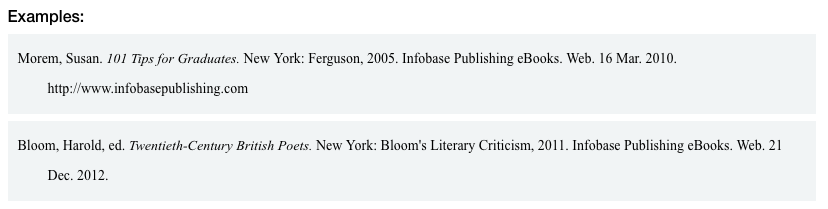
Step 3. When you find an answer, cite the source using APA or MLA format. Your teacher may suggest which one to use. Note: On the right-hand side of this page, there is a video on using Zoterobib.
Step 4. If your information came from a website without a citation maker, you can use one of these Citation makers, including Zoterobib, KnightCite, EasyBib, and MyBib. You must check with your teacher to see if you need to use a specific citation maker. Don't forget to keep your source open while you create your citation, so you don't lose the information.
Step 5. Watch this video on Zoterobib YouTube (5:55) to help you create your first citation.
Zoterobib (5:55)


Competencies & Standards
MITECS Michigan Integrated Technology Competencies for Students, and
2. Digital Citizen
a. Students manage their digital identity and understand the lasting impact of their online behaviors on themselves and others and make safe, legal and ethical decisions in the digital world.
3. Knowledge Constructor
a. Students use effective research strategies to find resources that support their learning needs, personal interests and creative pursuits.
b. Students evaluate the accuracy, validity, bias, origin, and relevance of digital content.
c. Students curate information from digital resources using a variety of tools and methods to create collections of artifacts that demonstrate meaningful connections or conclusions.
Websites and Documents
Websites
Videos from Outside Sources
21T4S Documents & Quizzes