



Q1 Plagiarism: Is it Plagiarism?
Finding Plagiarism
It is easy to plagiarize work written by others because you can copy and paste content from one place or web page to another page or document. It is inappropriate to plagiarize; however, in this exercise, you will copy and paste copyrighted content into a document and then use a tool to indicate if plagiarism is found.
Step 1. Copy or download the 7.Q1 Plagiarism Activity for this Quest.
Step 2. Visit Biography: Martin Luther King Jr. for information about Martin Luther King Jr.
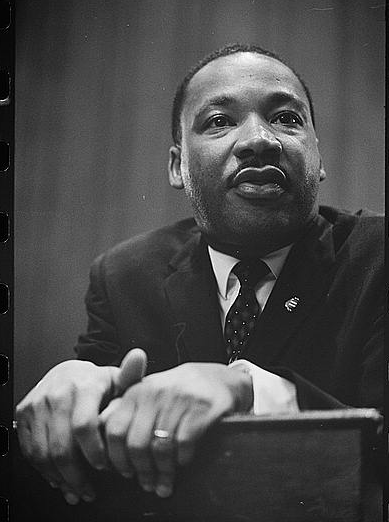
(Image Source: Martin Luther King Jr. Photographed by Marion S. Trikosko, 1964. LC-DIG-ppmsc-01629 Source: Library of Congress)
Step 3. Complete steps 2-6 in the 7.Q1 Plagiarism Activity document linked above.
Step 4. When you have completed the activity, check with your teacher about submitting your work.
Plagiarism Checker Example
This is an example screenshot of text copied from this page and pasted into Grammarly Plagiarism Checker.
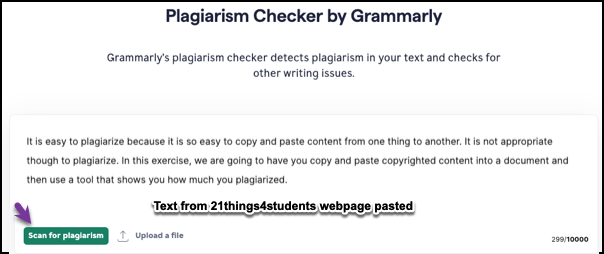
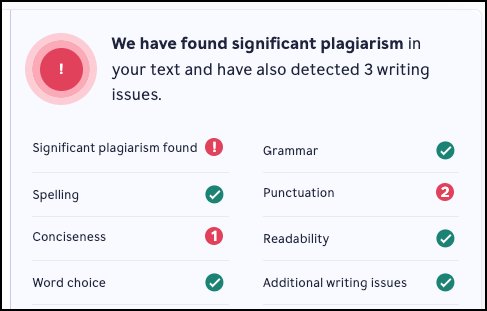
The following screenshot indicates that significant plagiarism was found. Some school districts have subscribed to this site, and the results will display the website addresses from which the text was copied.
Move on to the next page to learn about plagiarism and artificial intelligence.


Competencies & Standards
MITECS Michigan Integrated Technology Competencies for Students, and
2. Digital Citizen
a. Students manage their digital identity and understand the lasting impact of their online behaviors on themselves and others and make safe, legal and ethical decisions in the digital world.
b. Students demonstrate empathetic, inclusive interactions online and use technology to responsibly contribute to their communities.
c. Students safeguard their well-being by being intentional about what they do online and how much time they spend online.
d. Students take action to protect their digital privacy on devices and manage their personal data and security while online
6. Creative Communicator
a. Students choose the appropriate platforms and digital tools for meeting the desired objectives of their creation or communication.
c. Students use digital tools to visually communicate complex ideas to others.
d. Students publish or present content that customizes the message and medium for their intended audiences.
Websites and Documents
Websites
21T4S Documents & Quizzes