



Q4 Stop the Pirates: Creative Commons
C. Create Your Creative Commons to license your work.
You can select the license rules about how others can use your work.
Step 1. Play the video below from Wikimedia to learn more about Creative Commons.
What is Creative Commons?
Direct link (1:23 min.)
Step 2. Use Creative Commons to create a license for your poster or other work you created recently.
Step 3. If you are new to Creative Commons, click on Creative Commons: Share Your Work and choose Get Started to learn more..
Step 4. When you are ready to create your license, visit Creative Commons: Choose a License
- Begin making your selections; the panels will change as you choose the appropriate license. (Allow adaptations by others? Where might someone else make $ from your creation for commercial use?)
example for NonCommercial-ShareAlike (screenshot of the image created)
 - Select the text option to "help others attribute you!" and fill in the information (title of the work, name to attribute it to, such as first name, last initial, URL if you have posted your work online, and type of file format.
- If you want anyone to use your work in any way they want, you can license it as Public Domain or
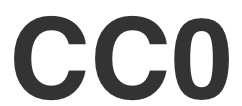 license it.
Step 5. At this point, your teacher may have some suggestions for posting, turning in, and/or sharing your work.


Competencies & Standards
MITECS Michigan Integrated Technology Competencies for Students, and
2. Digital Citizen
a. Students manage their digital identity and understand the lasting impact of their online behaviors on themselves and others and make safe, legal and ethical decisions in the digital world.
b. Students demonstrate empathetic, inclusive interactions online and use technology to responsibly contribute to their communities.
c. Students safeguard their well-being by being intentional about what they do online and how much time they spend online.
d. Students take action to protect their digital privacy on devices and manage their personal data and security while online.
3. Knowledge Constructor
a. Students use effective research strategies to find resources that support their learning needs, personal interests and creative pursuits.
6. Creative Communicator
a. Students choose the appropriate platforms and digital tools for meeting the desired objectives of their creation or communication.
b. Students create original works or responsibly repurpose or remix digital resources into new creations.
c. Students use digital tools to visually communicate complex ideas to others.
d. Students publish or present content that customizes the message and medium for their intended audiences.