



Q1 Fire Rescue: AI Cookbook
Let’s Generate it!
Your theme park adventure leader has decided that the tailgate needs a few homemade dishes to share. Your challenge is to create three recipe ideas that your classmates can review and vote on for the theme park tailgate.
Step 1. Choose Your Ingredients
- Make a copy or download the 2.Q1 AI Tailgate Recipes.
- You will be using slides 2, 4, & 6 for this step.
For each recipe, create a list of at least five ingredients. So, that is 15 items altogether. Remember, tailgate/party/picnic type dishes. Consider:
- Foods/Ingredients you may already have in your refrigerator or cupboards.
- Ingredients that are easy to find at a grocery store.
- Items such as pasta, rice, cheese, vegetables, beans, meats, sauces, and seasonings.
- Any food allergies or dietary needs in your group.
Step 2. Generate Your Recipes
Enter each ingredient list into DishGen or Let’s Foodie and ask the AI tool to create a tailgate recipe. See tips in the green drop downs for the tool you choose to use.
Your recipe should:
- Use your selected ingredients.
- Be easy to prepare at home.
- Be simple to serve and share.
- Stay safe and fresh until lunchtime.
Step 3. Review and Improve
AI-generated recipes are only a starting point. Carefully review each recipe to make sure the ingredients, measurements, directions, cooking times, and food-safety information make sense. Revise anything unclear, incorrect, or impractical.
- You will add comments about your proposed revisions in your AI Tailgate Recipes.
Step 4. Complete Your Recipes
Return to your AI Tailgate Recipes (Google Slides template) to include:
- The name of each dish.
- The AI-generated recipe and directions. This may be a screenshot.
- Any changes you made to improve the recipe
- An image representing the finished dish (if provided).
When finished, submit your three tailgate recipes so your classmates can vote for their favorites!
Let's Foodie Tips
To avoid installing a Chrome extension, visit this link to the site (Let's Foodie).
- Enter your ingredients in the space provided. You might include terms such as soup, casserole, baked, grilled, etc.
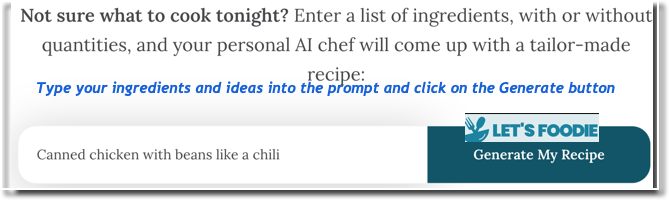
- Like magic, a recipe appears below the prompt.
- The site suggests this warning: "We cannot take responsibility for poorly cooked or unappetizing recipes. These recipes are generated by AI and have, therefore, not been tested in the real world. Please use common sense when cooking any of these recipes."
- This would be good to add to your cookbook if you have tried it and can recommend it. It is only a suggestion from a non-human algorithm.
Dish Gen Tips
DISH GEN Recipe Creation Tips
- Be Specific. Provide a clear and detailed description of the type of recipe you would like to create. Rather than 'pudding,' try a rich chocolate pudding for my 5-year-old's birthday'.
- Ingredients. Request ingredients you already have in your kitchen. You can search for multiple ingredients by separating them with a comma.
- Meal Type. Include a specific meal type, such as breakfast, lunch, dinner, or dessert.
- Time. Request recipes that take less than a certain amount of time to make.
- Go Advanced. Use the advanced search controls to request the inclusion / exclusion of certain ingredients, dietary considerations, and more.


Competencies & Standards
MITECS Michigan Integrated Technology Competencies for Students, and
3. Knowledge Constructor
c. Students curate information from digital resources using a variety of tools and methods to create collections of artifacts that demonstrate meaningful connections or conclusions.
5. Computational Thinker
b. Students collect data or identify relevant data sets, use digital tools to analyze them and represent data in various ways to facilitate problem-solving and decision-making.
6. Creative Communicator
c. Students use digital tools to visually communicate complex ideas to others.
d. Students publish or present content that customizes the message and medium for their intended audiences.