



QG4 Google Docs: Graphics Introduction
INTRODUCTION
In previous Quests, you learned about Google Drive, how to use formatting tools in a document, and how to share, collaborate, and manage your files and folders.
In this Quest, you will learn how to add images, photos, a citation, and create hyperlinks to separate reports or documents.
learning objectives
I can:
- Add images and photos to my document.
- Add a hyperlink to my document.
- Add a citation for the image source.
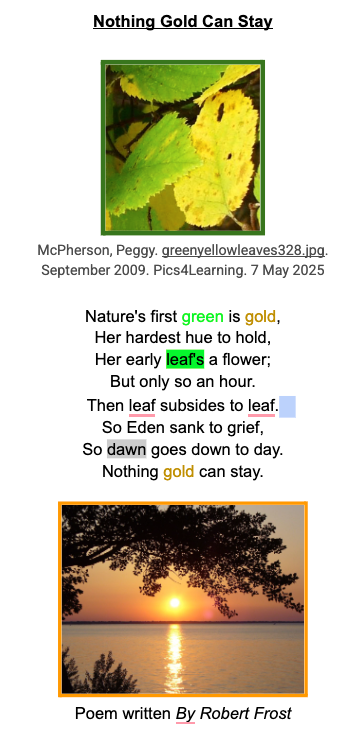
This image is a screenshot of a formatted document of the Nothing Gold Can Stay poem by Robert Frost. It shows an image inserted above the text of green and gold leaves, with a citation below the image, some colored text, highlighted text, and a photo of a sunrise as dawn turns into day.
In this Quest:
Have fun adding images or photos
to your Google document. Add a
hyperlink and a citation.


Competencies & Standards
MITECS Michigan Integrated Technology Competencies for Students, and
1. Empowered Learner
c. Students use technology to seek feedback that informs and improves their practice and to demonstrate their learning in a variety of ways.
d. Students understand fundamental concepts of how technology works, demonstrate the ability to choose and use current technologies effectively, and are adept at thoughtfully exploring emerging technologies.
2. Digital Citizen
c. Students safeguard their well-being by being intentional about what they do online and how much time they spend online.
3. Knowledge Constructor
a. Students use effective research strategies to find resources that support their learning needs, personal interests and creative pursuits.
c. Students curate information from digital resources using a variety of tools and methods to create collections of artifacts that demonstrate meaningful connections or conclusions.