



Q5 Safe & Secure: Username & Passwords
Creating a Good Username
Did you know that over 5.5 billion people are using the internet? With so many people online, your username is like your digital name tag. It helps others recognize you, but it also needs to keep you safe. That’s why choosing a username is about being creative (so it reflects your personality) and smart (so it doesn’t reveal personal information). Think of it like designing your own superhero name—you want it to stand out, but also protect your secret identity!
Username Activity
Step 1. Review the Do and Don't Chart below.
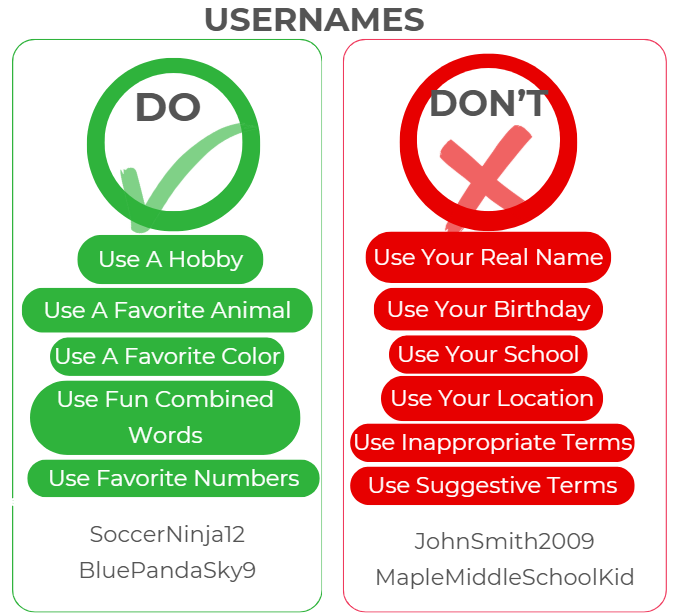
Step 2. Brainstorm 3-4 creative usernames that you would use following the "Do" portion of the chart.
Step 3. Share with a classmate. Discuss why the usernames are safe and appropriate. Select your favorite one to share with the class, following your teacher's instructions.
Creating a Strong Password
A strong password is like armor for your digital life—it keeps your accounts safe from anyone trying to break in. The stronger it is, the safer you are!
Step 1. While playing the video below, create your own list of Dos and Don'ts that you will use to create a strong password.
How to Create a Strong Password
Direct link (3:30 min.)
Step 2. Based on your list of Dos and Don'ts, create TWO passwords for each (so four passwords altogether).
Step 3. With a group of other students (based on your teacher's instructions), put all of the passwords in one pile. Mix them up and then separate them into a Do and Don't pile. Discuss, as a group, why the password would go into each pile.
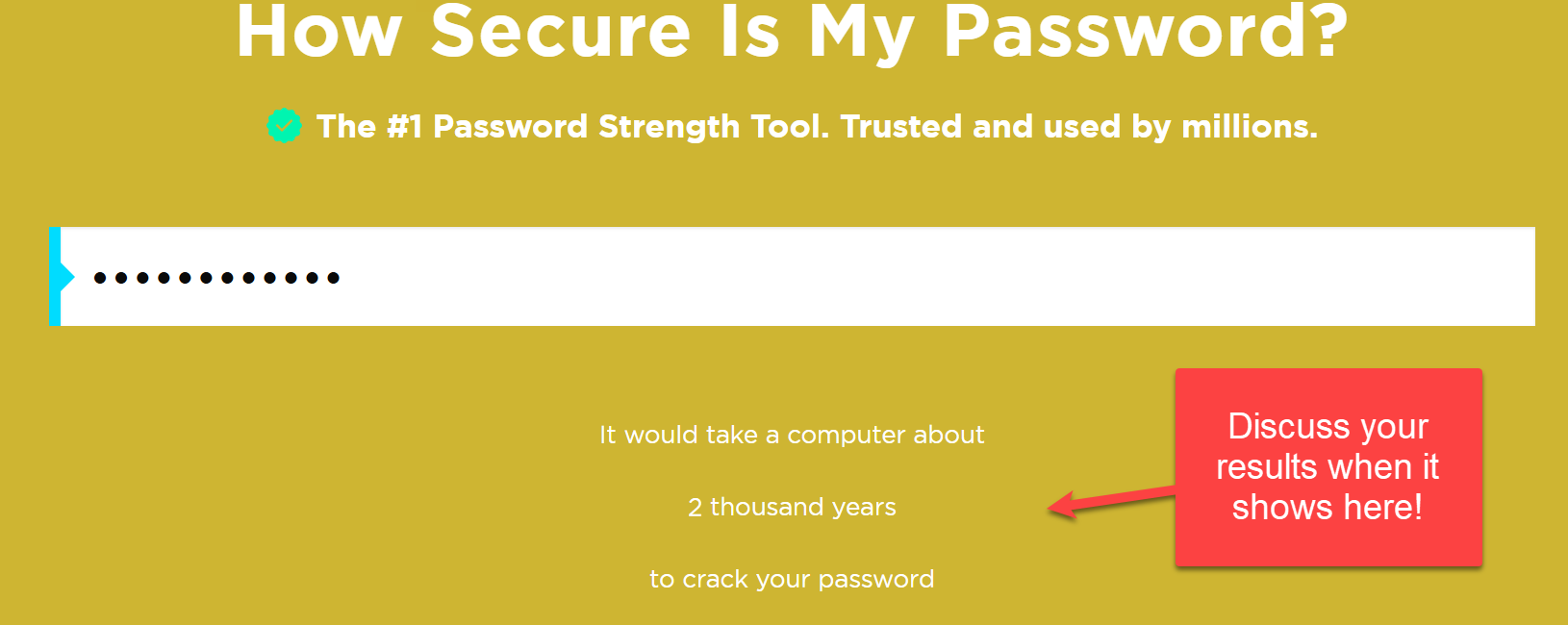
Step 4. Check your Do password list on this Password Checker site. Discuss the results of each password.
Bonus Password Activity - Interland: Tower Of Treasure
- This activity is optional based on your teachers instructions.
What it is: A web-based video game where players must navigate a 3D world, blocking cyberbullies, reporting bad behavior, and spreading positive interactions.
Step 1. When you first select Let's Do This! on the home page, the game will randomly take you to one of the islands. Use the right or left arrows to navigate to the Tower of Treasure (Gold/Yellow).
Step 2. Select the Play button to begin. Complete the missions by using the arrows and enter buttons on your computer keyboard to get to the top of the mountain.
Step 3. Take a screenshot of your Epic Win! Discuss what you learned based on your teachers instructions.
Be Internet Awesome - Interland


Competencies & Standards
MITECS Michigan Integrated Technology Competencies for Students, and
3. Knowledge Constructor
a. Plan and employ effective research strategies to locate information and other resources for their intellectual or creative pursuits
Websites and Documents
Websites
Videos from Outside Sources
21T4S Videos