



Q2 Thrill Rides: Database
Working with a Database
Step 1. Database: A collection of information (data) that is organized around how things are related,
This report has been created using the following search criteria:
Classification= Roller Coaster
Location = North America
Roller Coasters (All)
Current Status = Operating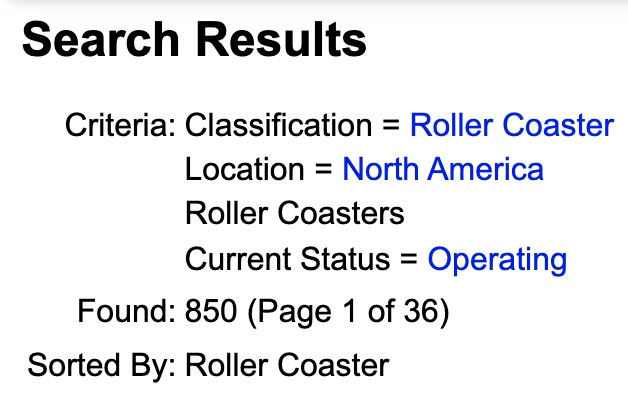
Step 2. Filtering: A process of selecting data based on specific criteria, such as wooden roller coasters.
Work with a partner or independently, and use the "Modify Report" link on the top right-hand side. Modify the search criteria to filter the data to answer the following questions. Write down your answers to compare your results with your classmates to see if they match.
- What company in North America has stand-up Steel roller coasters in operation?
- Does Canada have any Wooden Roller Coasters in operation? If so, how many?
- Search to see where new roller coasters are being constructed with the following search criteria: Current Status=Under Construction; Location=United States; Classification=Roller Coaster; Design=Inverted;
Step 3. Discussion or Reflections:
- How are databases useful?
- How was the ability to "filter" a database helpful?
- What are some examples of using a filter to get a specific result? Perhaps when searching for favorite songs or movies? What filters do you use?
Proceed to the Science page to learn more about the two types of energy that roller coasters use.


Competencies & Standards
MITECS Michigan Integrated Technology Competencies for Students, and
3. Knowledge Constructor
c. Students curate information from digital resources using a variety of tools and methods to create collections of artifacts that demonstrate meaningful connections or conclusions.
5. Computational Thinker
b. Students collect data or identify relevant data sets, use digital tools to analyze them and represent data in various ways to facilitate problem-solving and decision-making.
6. Creative Communicator
a. Students choose the appropriate platforms and digital tools for meeting the desired objectives of their creation or communication.
b. Students create original works or responsibly repurpose or remix digital resources into new creations.
Websites and Documents
Websites
- Canva
- Cedar Point Amusement Park
- Database of Operating Roller Coasters in North America
- How Stuff Works
- Links to Amusement Parks Around the World
Videos From Outside Sources
21t4s Videos
- None
21t4s Documents & Quizzes