



QG2 Google Docs: Sharing & Collaborating Step 1
AI POEM GENERATOR ACTIVITY
PART 1, Generating Your Poem
In this activity, you will use your text formatting skills and create a unique piece of poetry like Robert Frost’s ‘Nothing Gold Can Stay!’
- Open the AI Poem Generator Activity document.
- Create your starter words and use them with both of the AI poem generators suggested.
- Copy the generated poems into the table.
- Complete the formatting instructions.
Sharing your ai generated poem activity
Part 2. Sharing your poem
Check with your teacher about identifying a partner to work with in this activity.
Open your AI Poem Generator Activity Document and follow the directions in it for Part 2. Here is what you will be doing in the activity:
 your document
- Add your partner's name/email address in the sharebox provided..
- Provide commenting permissions
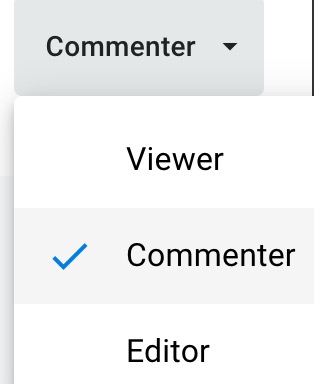
- Choose Notify people (your partner)
- Add a message
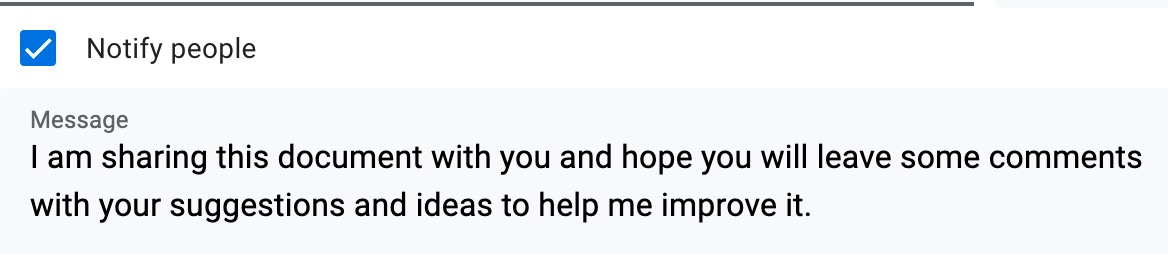
- Click ‘Send’ icon.
classroom discussion
As a class, discuss the following bullets:
- Name two or more reasons why knowing how to share a file will be critical to your success in school and a future job.
- Can you name how letting someone else comment on your document could improve your grade?
- Give two or more examples of how collaborating on a document with a classmate can be helpful.
Google Drive: Sharing & Collaborating
Direct link (3:14 min.)
Google Docs: Adding and Replying to Comments
Direct link (2:47 min.)


Competencies & Standards
MITECS Michigan Integrated Technology Competencies for Students, and
1. Empowered Learner
a. Students connect their learning needs, strengths and interests to their goals and use technology to help achieve them and reflect on their progress.
c. Students use technology to seek feedback that informs and improves their practice and to demonstrate their learning in a variety of ways.
d. Students understand fundamental concepts of how technology works, demonstrate the ability to choose and use current technologies effectively, and are adept at thoughtfully exploring emerging technologies.
2. Digital Citizen
b. Students demonstrate empathetic, inclusive interactions online and use technology to responsibly contribute to their communities.
c, Students safeguard their well-being by being intentional about what they do online and how much time they spend online.
d. Students take action to protect their digital privacy on devices and manage their personal data and security while online.
6. Creative Communicator
a. Students choose the appropriate platforms and digital tools for meeting the desired objectives of their creation or communication.
d. Students publish or present content that customizes the message and medium for their intended audiences.
6. Global Communicator
d. Students explore local and global issues, and use collaborative technologies to work with others to investigate solutions.
Websites and Documents
Websites
Videos from Outside Sources
21t4s Documents & Quizzes